
Free alpha
Try Stitch Sprint free until November 26
Digitize your own logos and lettering on your own computer, sew them, and tell us how they came out. No card, nothing to pay.
Mac: Apple silicon (M1 or later) on macOS 13 or later, about 45 MB. Windows: Windows 10 or 11 (64-bit), about 50 MB.
The download isn't up yet. Write to darrin@stitchsprint.com and we'll send it to you when it is.
The alpha ends for everyone at 11:59 pm Eastern on November 26, 2026.
The free alpha has ended
Thank you to everyone who sewed with it. Stitch Sprint is $49.99 a year for early adopters, and that price stays yours for as long as you stay subscribed.
Three steps
- Download and open itOn a Mac: Open the download: a window shows Stitch Sprint beside your Applications folder. Drag Stitch Sprint onto Applications, then open it from there. The first time, your Mac asks if you want to open an app from the internet: choose Open.
On Windows: Right-click the zip and choose Extract All, somewhere you'll keep it, such as Documents. Open the new folder and double-click Set up Stitch Sprint. If Windows says it protected your PC, choose More info, then Run anyway. A black window gets it ready (about a minute), puts a Stitch Sprint shortcut on your desktop and opens it. After that, use the shortcut. - Sign in with any emailType your email and we send it a six-digit code. No password and no card. Any email works while the alpha runs.
- Digitize, sew, and tell usDrop in a logo (EPS, AI, PDF, SVG, PNG or JPG) or type some lettering, pick your hoop and fabric, and save the stitch file for your machine. Sew it, then open the Feedback tab and tell us how it went.
What you need
- A Mac with Apple silicon (M1 or later) and macOS 13 Ventura or later, or a PC with Windows 10 or 11 (64-bit). Intel Macs and Windows are not part of the alpha; a Windows version is being built.Intel Macs are not part of the alpha.
- An embroidery machine that reads DST, PES, JEF, EXP, XXX or U01.
- The internet to sign in.
What we ask of you
- Sew at least one design you made with it and send a note from the Feedback tab: how it sewed, on what fabric and machine, and a photo of the sew-out if you can. The note carries the design's stitch file, so we see exactly what you sewed.
- Say what's missing. The Feedback tab has a Request a feature button.
- Sew a test on scrap first. This is an alpha: most of what Stitch Sprint makes has been measured against professional files, not yet sewn on many machines. That is what we're asking you to help with. Don't put it straight onto a customer's garment.
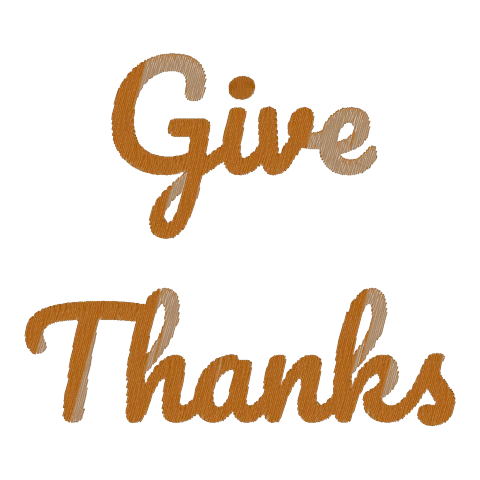
A thank-you: five Thanksgiving designs
Sign in before the alpha ends and the Thanksgiving Collection arrives in your Library, yours to keep: five designs, each in mini 2.5 in, 4x4 and 5x7, as DST, PES, JEF, EXP, XXX and U01.
Good to know
- Windows is the newer of the two. It has had far less use than the Mac app, and for now it comes as a folder with a set-up step, not an installer. Keep the folder where you unzipped it. Photos for a note need to be JPG on Windows: export an iPhone's HEIC photos as JPG first. Tell us anything that goes wrong.
- The hoops are our shop's. The app is set up for the machine in our shop (an SWF) and its hoops. Pick the hoop closest to yours, and name your machine in your note.
- It stops at 11:59 pm Eastern on November 26, 2026, on every computer. The app shows the time on your own clock. To keep going after that, the early adopter subscription is $49.99 a year, or the Founders Edition is one payment for life.
- Fixes come to you. When we fix something you found, the top of the app's window says a newer version is ready. Click it, download, and put the new one in place of the old. Your designs and settings stay.
- What you save stays yours. Stitch files and designs are saved in the Stitch Sprint folder in your Documents, and they stay there when the alpha ends.
- What we keep. Your email and your computer's name, to run the sign-in, and the notes and photos you choose to send. See the privacy policy.
Help
The user's guide walks through a first design with pictures of each step, and troubleshooting covers what to do when something isn't working. The same help is inside the app: Help in the menu bar. Or write to darrin@stitchsprint.com.